Download our app. It is for Tablet or Phone usage only. It will not download to computer.
Ensure you download version 3.
Register with a school email address.
Please Note! Registrations attempted with a non-school email address, will be deleted.
Codes added to a deleted registration are then lost.
Replacement codes are costly, and will be charged for, when the fault is the user’s.
Student codes are for App use only – i.e. downloaded onto a phone or tablet.
Student app codes will not give audio or pdf access through the Computer Weblink.
The Weblink is for computer usage only. It is for teacher /school use only.
______________________________________________
NB! You must VERIFY YOUR EMAIL ADDRESS in order to ADD YOUR CODE / USE THE APP.
1. Check your INBOX for the VERIFICATION LINK. Click on the link to verify. 2. If you cannot see the link, check your SPAM folder. 3. Still can’t see it? Check the email address you provided when you REGISTERED.
______________________________________________
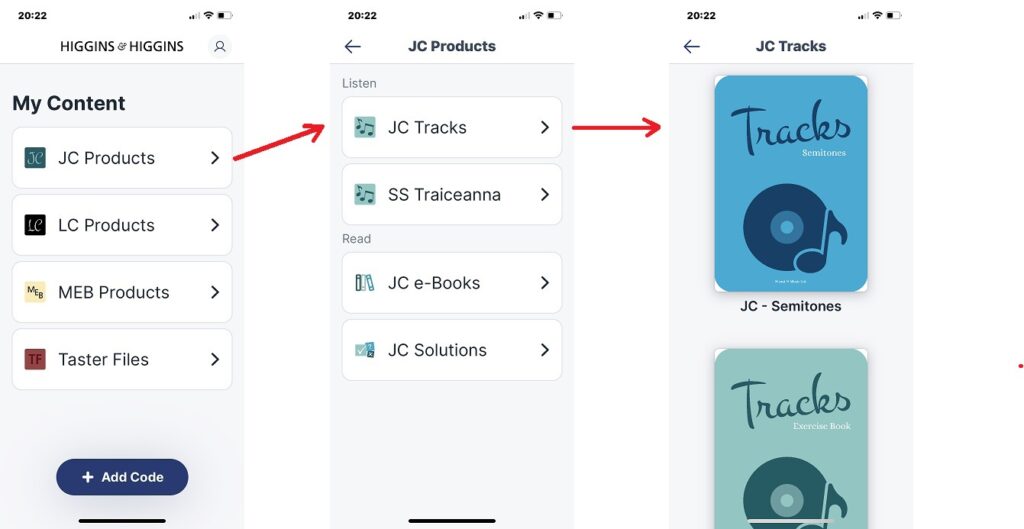
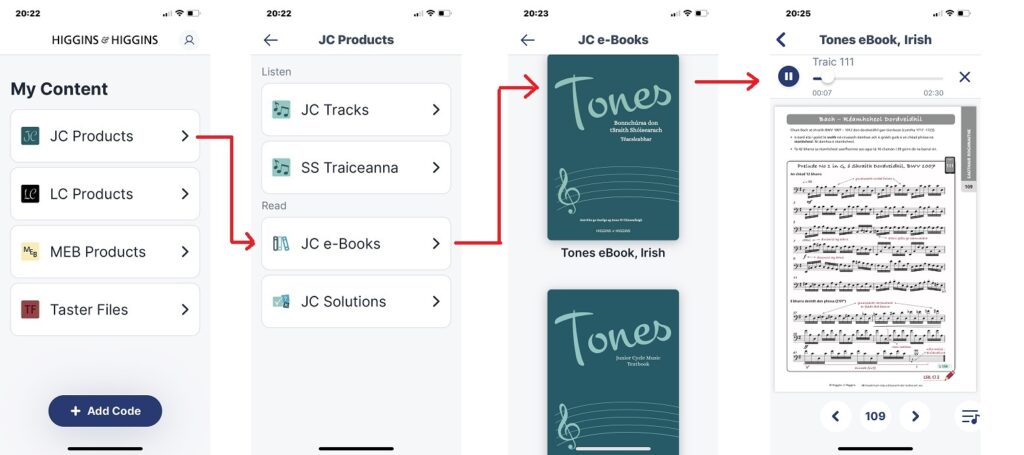
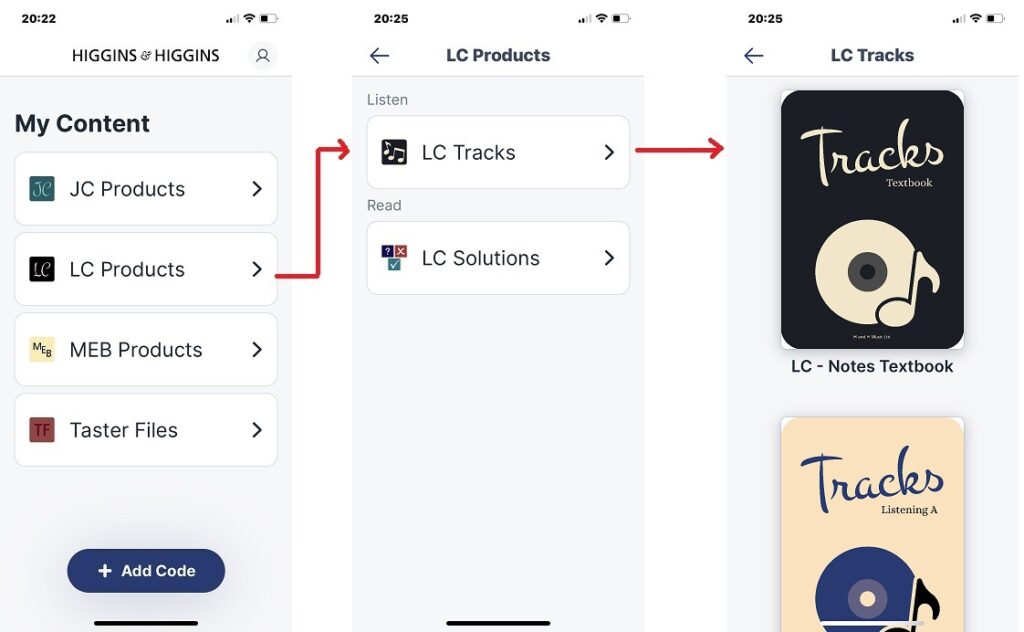
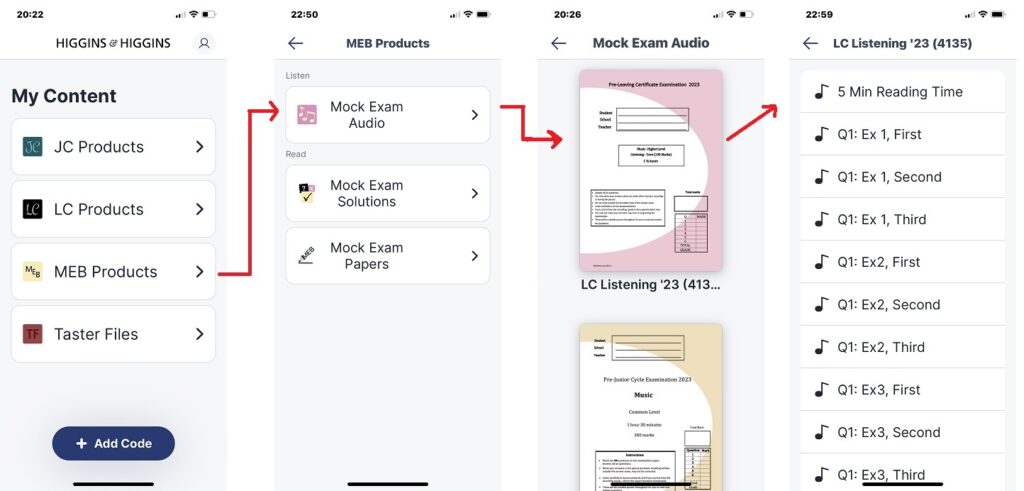
4 SAMPLE SCREENSHOTS showing the LAYOUT of MATERIAL on the APP
Example 1: My Content >> JC Products >> JC Tracks (Semitones / Ex Bk / Textbook)
Example 2: My Content >> JC Products >> JC ebook (Irish) >> Page 109/Track 111
Example 3: My Content >> LC tracks >> LC Textbook / Listening A / Core workbook…
Example 4: My Content >> MEB Products >> Mock Exam Audio >> LC Listening 2023
This website uses cookies to improve your experience. We'll assume you're ok with this, but you can opt-out if you wish. Cookie settingsACCEPT
Privacy & Cookies Policy
Privacy Overview
This website uses cookies to improve your experience while you navigate through the website. Out of these cookies, the cookies that are categorized as necessary are stored on your browser as they are essential for the working of basic functionalities of the website. We also use third-party cookies that help us analyze and understand how you use this website. These cookies will be stored in your browser only with your consent. You also have the option to opt-out of these cookies. But opting out of some of these cookies may have an effect on your browsing experience.
Necessary cookies are absolutely essential for the website to function properly. This category only includes cookies that ensures basic functionalities and security features of the website. These cookies do not store any personal information.
Any cookies that may not be particularly necessary for the website to function and is used specifically to collect user personal data via analytics, ads, other embedded contents are termed as non-necessary cookies. It is mandatory to procure user consent prior to running these cookies on your website.